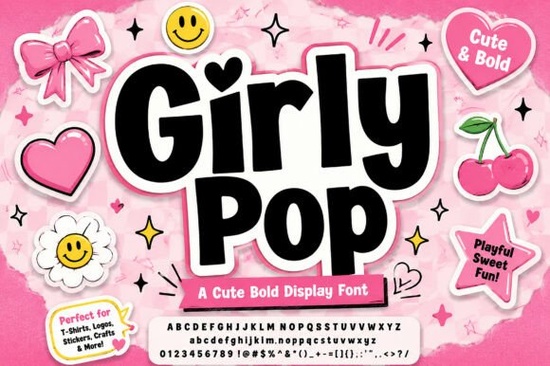
If you're looking for a display font that feels like flipping through a glitter-streaked early-2000s zine playful, confident, and full of personality Girly Pop Font fits right in. It’s not just another cute script or bubbly sans. This is a bold, chunky display typeface built for impact: think t-shirt graphics, sticker sheets, Instagram story headers, or custom merch that stands out on a shelf or scroll. Its interlocking letterforms, soft rounded corners, and that signature pink outer sticker drop shadow give it instant visual recognition without sacrificing readability or print clarity.
What makes Girly Pop different from other “cute” fonts?
Many playful fonts lean too far into whimsy or fragility fine for invitations or baby shower prints, but less effective when you need presence and punch. Girly Pop balances sweetness with structure. The bouncing baseline adds movement without chaos; the crisp white outline keeps each character legible even at small sizes or on busy backgrounds; and the pink shadow isn’t just decorative it mimics the tactile feel of a real sticker, which works especially well for digital mockups and physical product previews.
It’s also designed with practical use in mind. Unlike some Y2K-inspired fonts that sacrifice spacing or kerning for effect, Girly Pop includes well-tested OpenType features and consistent metrics. That means fewer manual tweaks when layering text over photos, aligning with icons, or prepping files for print-on-demand platforms like Printful or Redbubble.
Where does Girly Pop work best?
This font shines where attention is short and style matters most:
- T-shirts and hoodies especially streetwear or Gen Z-targeted collections where attitude and authenticity go hand-in-hand
- Sticker packs and planner inserts its rounded shapes and bold weight hold up beautifully when cut or scaled down
- Social media graphics perfect for Reels captions, Pinterest pins, or TikTok overlays that need to land in under two seconds
- Small business branding think café chalkboard menus, boutique sale banners, or handmade soap labels wanting a cheerful but polished voice
If you’ve used fonts like Wiggle Whistle Font, you’ll recognize the same energy but Girly Pop leans bolder and more cohesive as a full family. For contrast, Lucky Chunks Font offers a chunkier, more pixel-art vibe, while Hunters K-Pop Font brings sharper edges and Korean pop flair. Girly Pop sits comfortably between them: friendly but fierce, nostalgic but fresh.
How to pair Girly Pop thoughtfully
Because it’s a high-volume display font, Girly Pop works best as a headline or focal point not body text. Pair it with clean, neutral sans-serifs (like Inter, Poppins, or Montserrat) for supporting copy. Avoid other decorative fonts in the same layout unless they’re clearly subordinate like using Hello Angela Font for a subtle subheading or Bubble Lovers Font for a tiny accent word (e.g., “✨ YES!” or “NEW”).
Color-wise, it holds up well against pastels, deep purples, black, or even kraft paper textures. Try reversing it out of a solid color block for maximum contrast or keep the pink shadow and layer it over soft gradients for that authentic sticker-on-wall look.
Real-world tips before you download
• Check your software compatibility first Girly Pop is a .OTF file and works in Adobe apps, Canva (via upload), Cricut Design Space, and most modern design tools.
• Preview how it renders at 24pt and 48pt in your layout some playful fonts lose clarity when scaled too small.
• If you’re using it for POD, test mockups on light and dark garments the white outline helps, but contrast still matters.
• Save a version with simplified outlines if you plan to cut with a vinyl cutter some drop shadows may need flattening.
Whether you're designing your first Etsy listing or refreshing a long-running brand identity, Girly Pop gives you room to be expressive without overcomplicating things. It doesn’t ask you to reinvent your process just lets your message feel more like you.
Before you add it to your cart: Download the preview file, open it in your usual design app, and try typing your most common headline phrase “Limited Drop,” “New Arrivals,” or “Just for You.” See how it feels in context. If it makes you smile and reads clearly at a glance, you’ve found your match.
Try It Free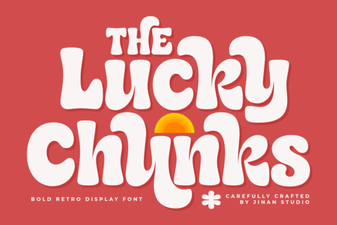 Lucky Chunks Font: Creative Play & Easy Design
 Designing with Jake Font: a Creative Guide
 Mila Font: Creative Typography for Modern Design
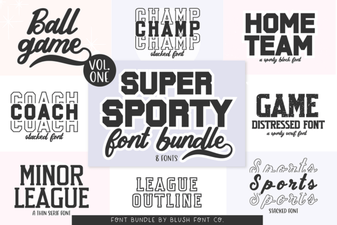 Super Sport Bundle: Creative Font Styles & Typography
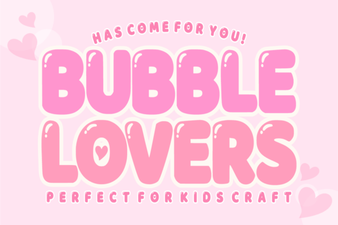 Bubble Lovers Font: Creative Typography for Fun Designs
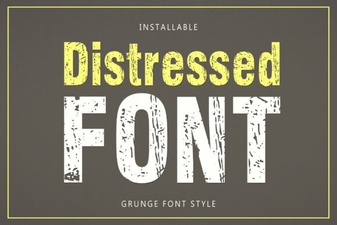 Creative Uses of Distressed Fonts in Modern Design