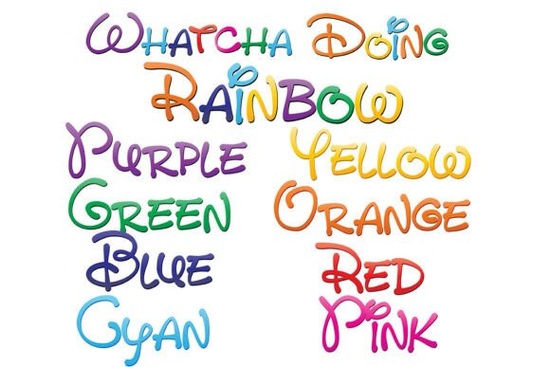
If you're looking for a playful, ready-to-use font that adds instant charm to greeting cards, social media graphics, or kids’ printables, the Whatcha Doing Font is worth checking out. It’s not just another handwritten style it’s a set of nine full-color SVG fonts, each built with real rainbow gradients and hand-drawn energy. You’ll get eight individual fonts (red, orange, yellow, green, blue, indigo, violet, and pink), plus a ninth “rainbow blend” font that layers them all together in one glyph. That means no manual color-stacking or layering just type and go.
How does it actually work in design software?
These are OpenType-SVG fonts, which install like regular .otf files drag into Font Book (Mac) or right-click > “Install” (Windows). But here’s what trips people up: they’ll often appear black in font menus or preview panes, even in compatible programs. Don’t worry that’s normal. The colors only show up after you type text into your document. Think of it like loading a video thumbnail vs. playing the full clip.
Adobe Illustrator, Photoshop (CC 2019+), Inkscape (1.2+), Silhouette Studio (v5.2+), and QuarkXPress all support SVG color fonts. If you’re using Canva, Google Docs, or older versions of CorelDRAW, they’ll fall back to black outlines so double-check your toolset before buying.
What can you make with it really?
Because these fonts are vector-based, they scale cleanly from tiny Instagram story text to large wall decals. No pixelation, no quality loss. That makes them practical for:
- Print-on-demand products like mugs, tote bags, and kids’ apparel (especially where bright, friendly typography stands out)
- Digital planners and habit trackers try the pink or green version for gentle visual cues
- SVG cut files for Cricut or Silhouette machines (the color data stays intact when exported as SVG)
- Social media banners or Etsy shop headers that need personality without custom illustration
Unlike monochrome handwritten fonts, Whatcha Doing Font gives you color variety without switching layers or applying swatches. That saves time and mental load when you’re juggling multiple client projects or launching seasonal product lines.
Will it fit with my current workflow?
Yes if your tools support SVG fonts. If you’re unsure, try installing just one of the eight single-color fonts first (say, the Whatcha Doing Font Red) and test it in a new Illustrator file. Type “Hello” and see if the letters appear in red. If yes, the rest will too. If not, you may need to update your software or consider pairing it with a compatible program for final output.
It’s also worth noting: this isn’t a variable font or a font with alternate glyphs. It’s focused on one thing colorful, cheerful, hand-printed lettering and does it well. For designers who value simplicity over complexity, that’s a feature, not a limitation.
Where else can you find similar options?
Creative Fabrica has other colorful font bundles, but few match the consistency and usability of Whatcha Doing Font. You’ll find related styles like Whatcha Doing Font Green or Whatcha Doing Font Rainbow sold individually, but the full set gives you flexibility across brand palettes or seasonal themes. For example, use the indigo version for back-to-school designs and switch to yellow for summer promotions all without hunting for new fonts.
You can explore more about how these fonts behave in different contexts on the Whatcha Doing Font color options page, where real user examples show scaling, spacing, and export tips.
Before you download quick checklist
- ✅ Confirm compatibility: Check your design app’s version and SVG font support list
- ✅ Test one font first: Install just the red or blue version to verify color rendering
- ✅ Plan for fallbacks: Keep a simple black handwritten font handy for platforms that don’t support SVG
- ✅ Use vector exports: When saving for web or cutting machines, choose SVG or PDF not PNG to preserve scalability
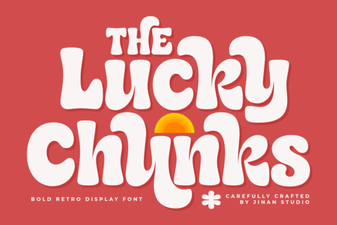 Lucky Chunks Font: Creative Play & Easy Design
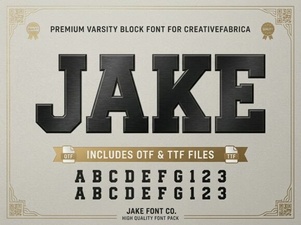 Designing with Jake Font: a Creative Guide
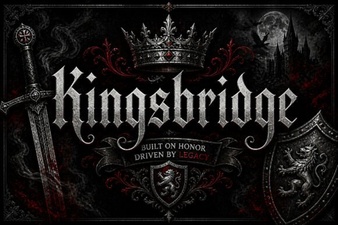 Kingsbridge Font for Modern Design Projects
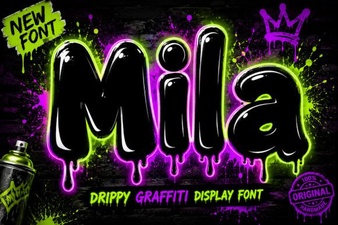 Mila Font: Creative Typography for Modern Design
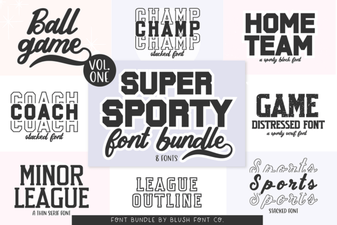 Super Sport Bundle: Creative Font Styles & Typography
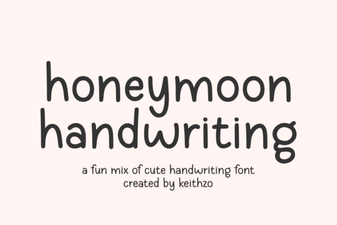 Honeymoon Font: Romantic Scripts for Creative Projects